Bad UX Endangers IT Security and Inclusion
A documented CAPTCHA case shows why abuse prevention, server-side validation and accessibility must be tested together.
In late December 2025, the algorithm washed something into my timeline that I first took for satire: a find from Pascal Wegner on X. He posted a screenshot from Germany's Federal Network Agency, the Bundesnetzagentur, that looked too absurd to be real. The post is no longer reliably accessible. The locally archived screenshot, however, shows the BNetzA URL at the time, the challenge and the corresponding part of the DOM.
I had to see it for myself. So I went to the site, opened the developer tools, and there it was: that moment of pure disbelief. In the DOM, the challenge text sat right there between invisible ‌ characters, in plain text, readable by any code that parses the page. The screenshot does not prove that a bot successfully submitted the form. When checked on 15 August 2026, the specific URL returned HTTP 404.

“Please enter the text in capital letters and without spaces.”
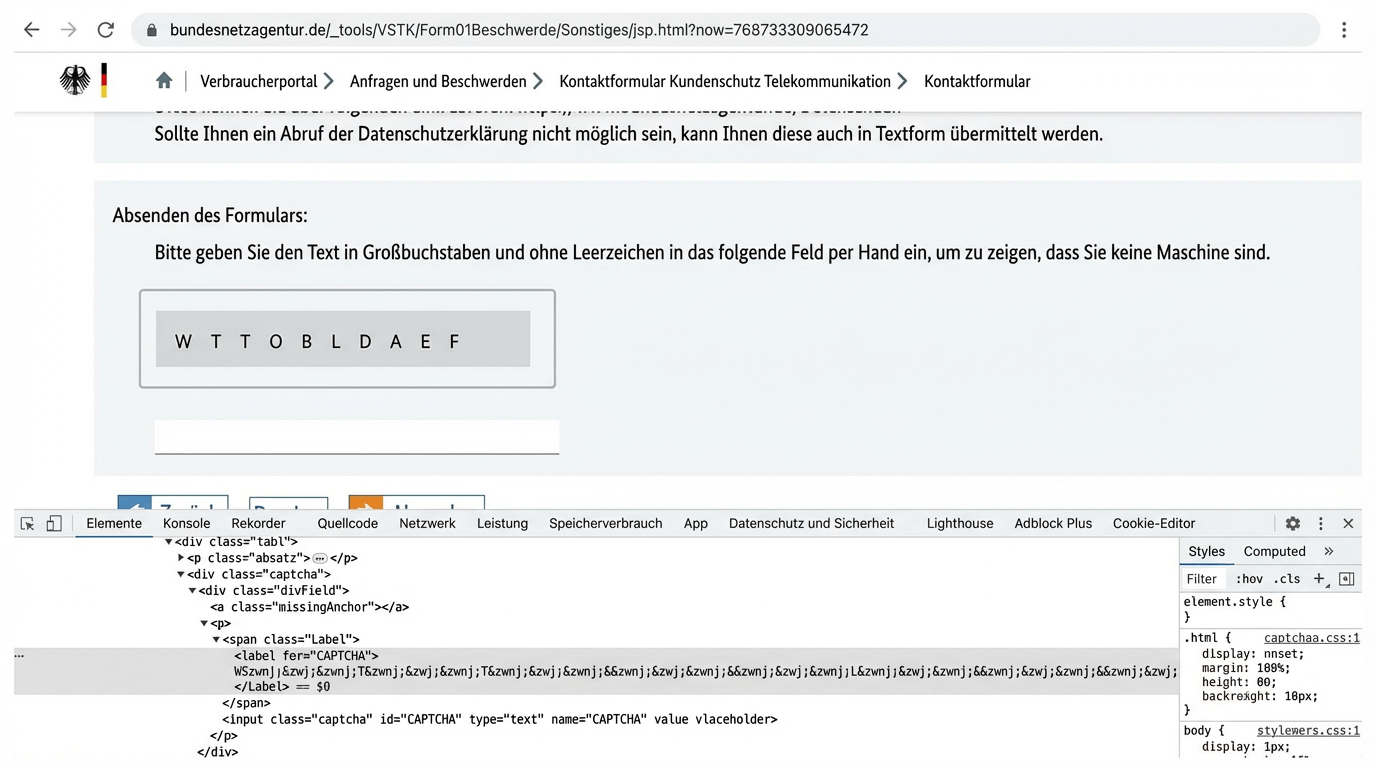
The narrow finding is enough to raise an important design question: if a challenge value is present in the client, it is not a secret. At the same time, a visual or cognitive task can impede people. Security and accessibility therefore need to be considered within the same test cycle.
We pour plenty of resources into compliance documents and privacy notices. In practice, though, we sometimes end up building digital Potemkin villages: facades that do not hold up once you look closer.
What the screenshot shows—and what it does not
The screenshot documents challenge text that could be read on the client side. It measures neither the success rate of bots nor the output of different screen readers. It also cannot establish a specific legal violation.
A reliable review requires two separate hypotheses:
- Security risk: An automated client may be able to extract the text from the DOM and bypass the intended barrier.
- Accessibility risk: The visual characters, capitalisation, invisible separators and lack of alternatives may impede use or understanding with assistive technology.
Both hypotheses can be tested. Neither is proved by a screenshot alone.
The server decides
In the physical world, nobody leaves their front-door key under the doormat and hopes no one looks. Online, that is exactly what happens when validation logic lives in the client, meaning the browser, and can be read from there.
“Validate on the server” is correct but not a complete protection strategy. The browser remains an untrusted environment. A sound abuse-prevention system should include at least the following:
- The server generates and validates a short-lived, non-reusable challenge or session token.
- Expiration and replay protection prevent a solved challenge from being reused.
- Rate limits and abuse detection constrain automated attempts without broadly blocking legitimate use.
- Monitoring makes failure rates and unusual patterns visible.
- The underlying business logic remains secure even if the visible barrier is bypassed.
The golden rule behind all of this: don't roll your own crypto. Do not build your own security mechanisms unless you are a cryptographer. Reinvent the wheel and it usually comes out square, tripping over the next screen reader it meets.
Germany's BSI TR-03172-3 requires online services in the federal portal network to validate input, and it calls for protection against bots and spammers where file upload is unprotected.1 It does not govern CAPTCHAs as such. Where a barrier like that is used, it is at most one layer, not the security architecture.
Accessibility is part of the test
For websites and apps run by federal public bodies in Germany, the main rules include Section 12a BGG and Section 3 BITV 2.0.2 The Accessibility Strengthening Act, or BFSG, has applied since 28 June 2025 to the products and services it covers, including certain consumer banking and e-commerce services.3 It is not a blanket law for every website.
Under Success Criterion 1.1.1, WCAG 2.2 requires a CAPTCHA to include a description of its purpose and alternatives for different sensory modalities.4 An audio CAPTCHA does not automatically solve the problem; it can still create barriers related to hearing, speech and cognition.
Germany's Federal Accessibility Centre recommends passive methods and practical testing.5 It also warns that behavioural systems may incorrectly classify people using assistive technology as bots. “Invisible” therefore does not mean “accessible.”
A small test matrix makes the risks visible:
| Test | Review question |
|---|---|
| Keyboard | Can the task be reached, solved and reset without a mouse? |
| Screen reader | Are the purpose, input, error and alternative announced clearly? |
| Zoom and magnification | Do the challenge, input and error message remain usable at 200 and 400 percent? |
| Voice input | Can the field, characters and controls be addressed unambiguously? |
| Failed attempt | Are focus, explanation and an accessible alternative retained? |
| Browsers and devices | Do the protection and fallback work in at least two browsers and on mobile devices? |
This matrix does not replace manual testing with users with disabilities or experienced accessibility specialists. It merely prevents the team from stopping at “the widget loaded.”
Passive methods require the same scrutiny
Products such as Cloudflare Turnstile, reCAPTCHA or proof-of-work approaches can reduce visible challenges. They raise their own questions: What data is sent to third parties? How often are people misclassified? What happens on old or low-powered devices? What fallback appears when JavaScript, cookies or the provider fail?
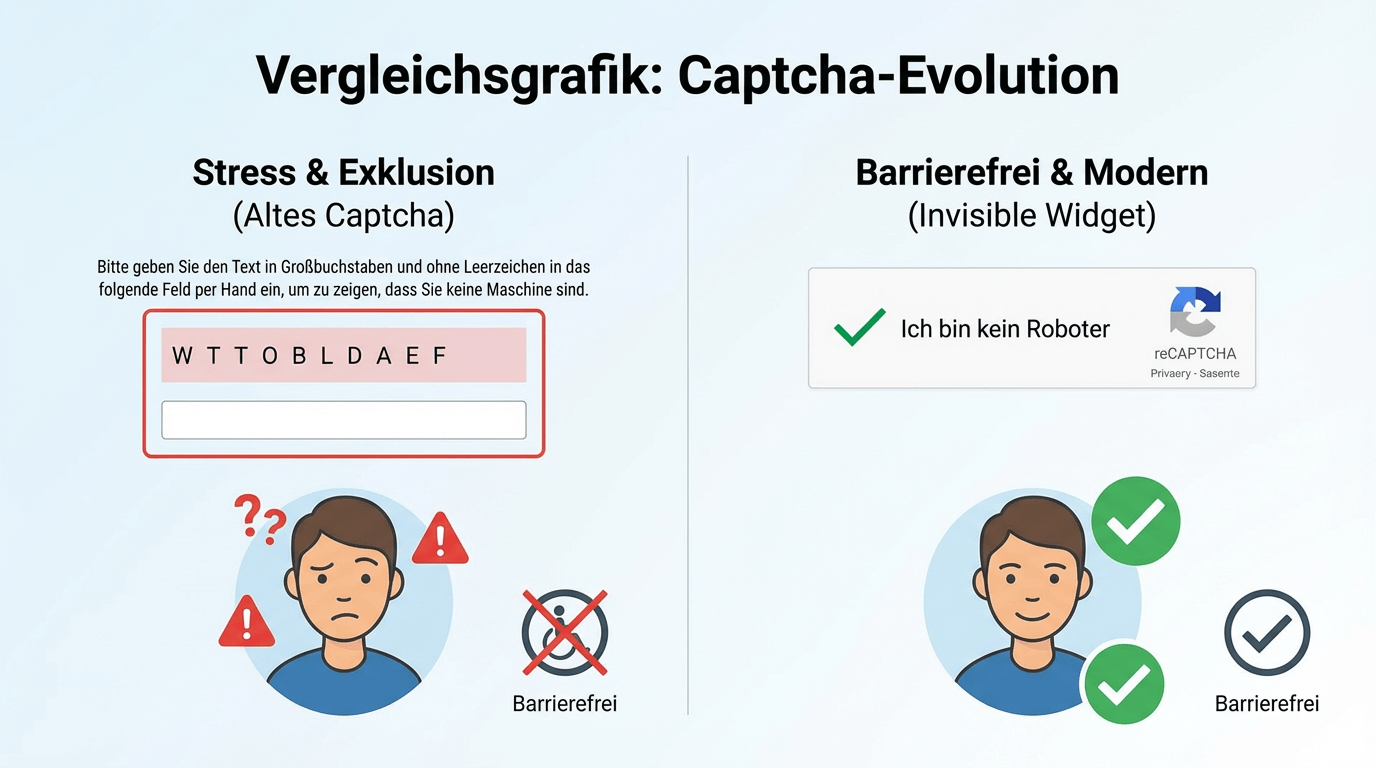
A vendor name is not a seal of quality. What matters is the threat model, privacy review, real error rates and testing with assistive technology.
One shared review cycle
The BNetzA case is useful as a documented historical example precisely because its finding remains narrow. An authorised security test examines what the client can see and what the server will accept. An accessibility test examines the same success, error and fallback paths with different inputs and assistive technologies.
That connection is often missing. Teams that assess abuse prevention only by blocked requests overlook excluded people. Teams that look only at an unobtrusive interface may miss a readable or reusable challenge value. A better minimum standard makes automated attacks harder without needlessly obstructing legitimate use.
Four steps away from the fax mindset
Anyone still making people type out characters is relying on a weak barrier. Modern OCR and vision systems solve tasks like that reliably. Getting started does not take a consultant's budget, just these four points:
- Validate on the server. The correct answer must never leave the server before the user has entered it. Never trust the browser.
- Test accessibility alongside security. Every security measure needs one more question: can a blind user operate it? If not, it is not finished.
- Do not build it yourself. Vetted building blocks exist for challenges, tokens and crypto. Rolling your own is the most common route to exactly the mistake this piece is about.
- Bring in outside eyes. One pass with a screen reader, one with a focus on client-side logic. Not seeing your own blind spots is the real risk here.
The front door has to actually be locked. Not just for show. And not in a way that lets bots in more easily than people.
Related: Dark Patterns and Consent UX at Banks and Content Testing with Verifiable Success Criteria.
Sources & References